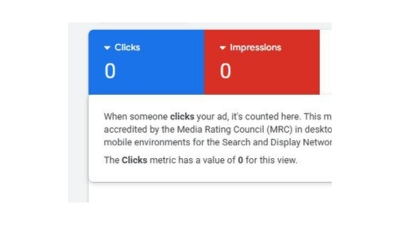
Running a Google Ads campaign can be frustrating when it shows as enabled but you’re not getting any impressions. I faced the same issue my ads were running for several days with zero results. But after tweaking a few things, I went from 0 impressions to over 66,000 impressions and 6,460+ clicks.
If you’re struggling with this, don’t worry. I’ve broken it down into 4 main reasons why your Google Ads campaign might not be delivering impressions and how to fix them.
- Wrong Bidding Strategy & Conversion Goal
One of the biggest mistakes advertisers make is choosing the wrong bidding strategy.
Here’s the deal:
If you’re just starting out with a new account and don’t have much data or conversion tracking set up, avoid choosing Conversions as your strategy.
Instead, start with Clicks. Getting clicks is easier, builds data and helps Google’s algorithm learn about your audience.
Also, check your maximum bid amount.
If your bid is too low compared to the average cost per click (CPC) in your niche, your ad won’t show.
Use the Keyword Planner in Google Ads to see the average CPC for your target keywords, then set your bid slightly higher so your ad can compete.
Example: If competitors are bidding $1.50 per click, set your bid at $1.90 or $2.00 to make sure you rank higher.
- Your Budget Is Too Low
Another common reason is setting a budget that’s far below what’s required.
In some countries (like the U.S., Canada, or parts of Europe), CPCs are higher. A daily budget of $5 or $10 often won’t cut it.
I recommend at least $20/day for competitive markets.
Remember, your budget should allow for at least 10+ clicks per day based on your average CPC.
- Narrow or Wrong Location Targeting
Sometimes the issue is not your bid or budget it’s your targeting.
If you choose a location with a small population (say a town with less than 100,000 people), your ad might barely show.
Instead, target a broader area (e.g., the whole country or multiple major cities).
Also double-check your language settings. If you limit your ad to a small language group, you might be shrinking your audience too much.
Pro Tip: Always make sure your ad is targeting the right audience in the right location.
- Poor Conversion Tracking or Wrong Campaign Objective
Finally, if your conversion tracking isn’t set up properly, Google Ads won’t optimize your campaigns effectively.
Make sure you set up Google Tag Manager or Google Analytics and link them with your Google Ads account.
If conversion tracking isn’t working, Google has no feedback loop to know who’s engaging with your ad, making it less likely to show.
Also check your campaign objective if you set it incorrectly, it may be working against your actual goal.
If you haven’t set up conversion tracking yet, I’ve created a step-by-step video tutorial (linked in the comments of my YouTube video) that will guide you.
Inconclusion, if your Google Ads are enabled but not showing impressions, don’t panic. The issue usually comes down to one of these four areas:
Bidding strategy & conversion goals
Budget too small
Narrow or wrong location targeting
Poor conversion tracking or wrong campaign objective
Fix these, and you’ll start seeing impressions, clicks and real results from your campaigns.
My advice? Start simple. Optimize for clicks, set a reasonable bid, and choose a healthy daily budget. Once you build data and conversions, then move into advanced strategies.
If your Google Ads are enabled but not getting impressions, it’s usually because of one of these issues:
Wrong bidding strategy or low bid amount
Budget too small for your target market
Narrow location targeting
Improper conversion tracking or campaign setup
Start by switching your bid strategy to “Maximize Clicks”, increase your daily budget, and broaden your targeting area.
To fix a campaign with zero impressions:
Change your bidding strategy from Conversions to Clicks if your account is new.
Raise your maximum CPC bid slightly above the average in your niche.
Increase your daily budget to allow at least 10 clicks per day.
Verify your location and language targeting are not too narrow.
Check your conversion tracking setup in Google Tag Manager or Analytics.
If your campaign has little or no data, start with “Maximize Clicks” instead of “Maximize Conversions.”
This helps Google gather performance data and learn about your audience faster. Once you get enough clicks and conversions, you can switch to conversion-based bidding for better optimization.
Yes. A low daily budget can completely prevent your ads from showing, especially in competitive markets.
If your average CPC is $1.50 and your budget is $5/day, Google may not serve your ads at all.
Increase your budget to $15–$30/day (depending on location and niche) so your ad can compete effectively in the auction.
You can verify conversion tracking by checking the “Conversions” column in your Google Ads dashboard. If the data isn’t updating, your tag may not be firing correctly.
Use Google Tag Assistant or Google Tag Manager Preview Mode to test it.
Proper conversion tracking helps Google optimize your campaign and increase your impressions and clicks.