How to Create a Facebook Business Manager Account and Ad Account (Step-by-Step 2025 Guide)
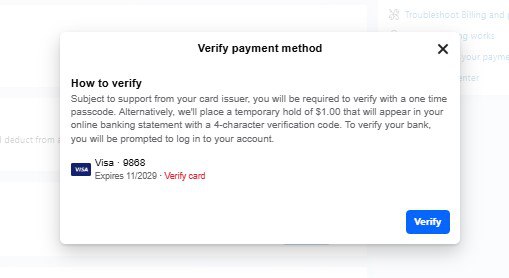
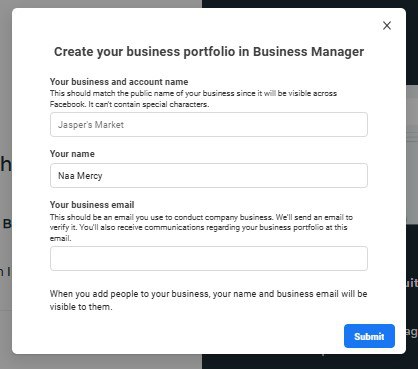
If you’re looking to run Facebook ads for your business or manage multiple pages and ad accounts under one roof, setting up a Facebook Business Manager (also called Meta Business Manager) is the first step. In this quick guide, I’ll show you exactly how to create a business portfolio on Facebook, set up your ad account, and get ready to run ads. Step-by-Step: How to Create a Facebook Business Manager Account 1. Visit the Business Manager Website 2. Click on “Create Account” 3. Fill In Your Business Info Click Submit. 4. Confirm Your Email Click the link in your inbox to verify your Business Manager account. Facebook will send a confirmation link to your email. Set Up Your Ad Account in Business Manager Once your Business Manager is set up, here’s how to create your first ad account: 1. Go to Business Settings 2. Select the Business Manager You Just Created 3. Create a New Ad Account 4. Enter Ad Account Details 5. Assign Yourself to the Ad Account 6. Add a Payment Method You’re now ready to run ads for your business! If you need more help, reach out to us directly through WhatsApp or Telegram or book a Zoom meeting with us via our website Finally, go to the Ad Manager and add your payment method Don’t forget to check out the video tutorial for a more hands-on guide.Found this article helpful? Share it with others who may need to delete their Facebook Business Manager too! For more Facebook and business management tips, subscribe to our newsletter or follow us on social media.